Psiphon is a free and open-source Internet censorship circumvention tool for Windows and mobile phones. If you're using public WiFi or if your Internet is censored, you can use Psiphon to surf securely and bypassing censorship. Psiphon utilizes a combination of VPN, SSH and HTTP Proxy technology to provide you with free and uncensored access to online content.
Psiphon features "Trust, Speed, Simplicity", so it is very easy to use --- just download, click and run, and the connection speed is fine. However, Psiphon is centrally managed and "does not increase your online privacy, and should not be considered or used as an online security tool" (You should try Tor or I2P instead). Besides, it is only available on Windows, Android and iOS.
Links:
https://psiphon.ca
https://www.psiphon3.com
get@psiphon3.com (request to have Psiphon sent to you via email)
https://bitbucket.org/psiphon/psiphon-circumvention-system (source code)
Showing posts with label android. Show all posts
Showing posts with label android. Show all posts
Monday, February 11, 2019

Wednesday, March 9, 2016
WowApp - The Free Call & Message App that Pays You to Use
In short, WowApp is a WhatsApp alternative with ads, but shares its ads revenue with its users. The call & messaging App is just like the others with some special features such as earn credits and withdraw to Paypal, top up and make call to any phone number, and it supports both Android and iOS, as well as PC.
To join, you may need an invitation and feel free to use mine.
Why Join WowApp?
How to Earn with WowApp?
To join, you may need an invitation and feel free to use mine.
Why Join WowApp?
How to Earn with WowApp?
Wednesday, March 2, 2016
Earn Instant Bitcoin Payment with the Xapo Wallet
Bitcoin transaction need confirmation, which usually takes an average of 10 minutes to get one confirmation. Xapo (for Bitcoin) is similar to Paypal (for fiat), it supports instant Bitcoin payment using your Email address, much easier to remember and write than the standard alphanumeric character Bitcoin address.
 Xapo will reward you 50 bits (50*100 satoshis, or 0.00005000 BTC) for just signing up. The best thing is you can find many Bitcoin faucets that support Xapo wallet, which will instantly pay you using your Xapo Email address. On the other hand, if you use a Bitcoin address, you need to wait until your accumulated Bitcoins pass the some threshold.
Here are some of my favorite faucets paying to Xapo address:
MoonBitcoin

Bicoinker

BitcoinZebra

FreeBitcoin

Here are some Android/iOS App faucets paying to Xapo address:
Wheel of Bitcoins

Bitcoin Wonder Machine

Similar Apps to Earn Bitcoins:
Bitcoin Honey
Bitcoin Scratcher
Space Bitcoins
Here are some of my favorite faucets paying to Xapo address:
MoonBitcoin
Bicoinker
BitcoinZebra
FreeBitcoin
Here are some Android/iOS App faucets paying to Xapo address:
Wheel of Bitcoins
Bitcoin Wonder Machine
Similar Apps to Earn Bitcoins:
Bitcoin Honey
Bitcoin Scratcher
Space Bitcoins
Wednesday, February 24, 2016
Infinity Blade Saga - Android Version of the Famous iOS Mobile Game
Infinity Blade Saga is the free to play Android version of famous infinity blade game series on iOS. The game is ported by Chinese company Tencent and Chair Entertainment, Epic Games, for Chinese market.
Links:
http://infinityblade.com/
http://2p.com/31763134_1/Infinity-Blade-Sage-Up-2015-Trailer-Revealed-Game-Will-Come-to-Multi-platform-by-minishop.htm
http://sj.qq.com/myapp/detail.htm?apkCode=14186&apkName=com.tencent.tmgp.ibd
Infinity Blade Saga v1.1.156 APK with OBB data file: http://apkmaniafull.com/2016/01/01/infinity-blade-saga-v1-1-156-apk/
nfinity Blade Saga v1.1.206 APK with OBB data file: http://apkmaniafull.com/2016/08/12/infinity-blade-saga-v1-1-206-apk/
Links:
http://infinityblade.com/
http://2p.com/31763134_1/Infinity-Blade-Sage-Up-2015-Trailer-Revealed-Game-Will-Come-to-Multi-platform-by-minishop.htm
http://sj.qq.com/myapp/detail.htm?apkCode=14186&apkName=com.tencent.tmgp.ibd
nfinity Blade Saga v1.1.206 APK with OBB data file: http://apkmaniafull.com/2016/08/12/infinity-blade-saga-v1-1-206-apk/
BOINC App - Mine Gridcoin with Your Android Phones and Tablets
Do you know that you can mine Gridcoin using your Android phones or tablets? Just download BOINC for Android at Google Play:
https://play.google.com/store/apps/details?id=edu.berkeley.boinc
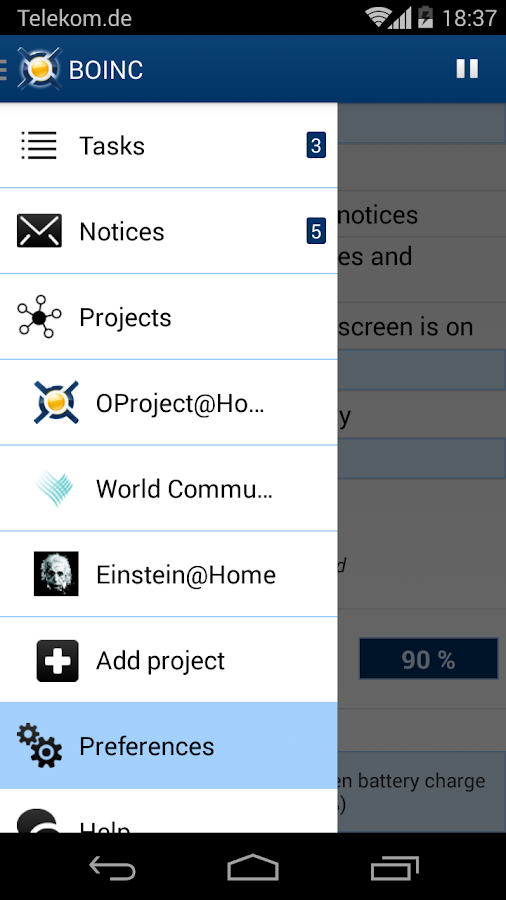
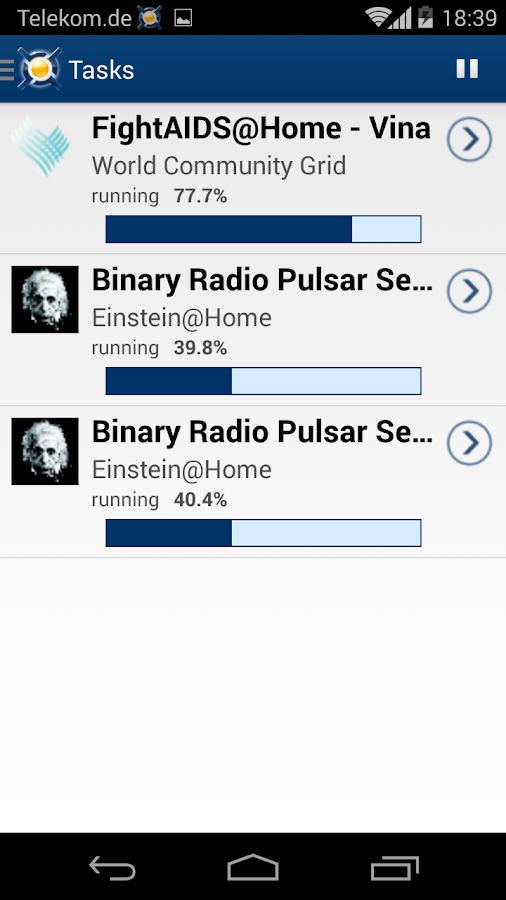
Of course, you should firstly finish the set up of BAM! account, BOINC on PC and your Gridcoin wallet as in the official guide, before running the BOINC App. Then you can use your Android device to run BOINC tasks, contribute to scientific research and get some Gridcoin rewards!
Links: http://boinc.berkeley.edu/wiki/Android_FAQ
https://play.google.com/store/apps/details?id=edu.berkeley.boinc
Of course, you should firstly finish the set up of BAM! account, BOINC on PC and your Gridcoin wallet as in the official guide, before running the BOINC App. Then you can use your Android device to run BOINC tasks, contribute to scientific research and get some Gridcoin rewards!
Links: http://boinc.berkeley.edu/wiki/Android_FAQ
Thursday, January 28, 2016
Dual Boot Install Remix OS (Android-x86) on Windows Notes
Update on 2017/10/21: To uninstall Remix OS 3: C:\RemixOS\UninstallRemixOS.exe.
Update on 2017/7/26: Remix OS was discontinued according to its official announcement. Users are recommended to migrate to Phoenix OS.
Update #1: The newest version of Remix OS has OTA update feature, and has direct access to your local Windows file system to make file transfer between Windows and Android easier.
Update #2: The newest version of Remix OS has an official tool for you to install it into your hard drive. So the tutorial below can be considered obsolete when the official version is mature (currently Beta).
Update #3: The newest version of Phoenix OS officially supports hard drive install.
Requirements
Windows 8/8.1/10
64-bit Core PC
UEFI Boot Enabled
More than 4GB free space in "C:/" drive
Secure Boot Disabled
BitLocker Disabled
Advantages:
Dual boot with Windows.
No need to partition hard drive.
Overcome the 4GB file size limit.
Install into hard drive so no USB needed.
OS will run faster.
Softwares Needed
androidx86-installv22-6000.0.exe
Installer_Bootstrap_Image_by.devTWSK.iso
grub.cfg files
GMSInstaller.apk (optional, for install google play only)
The above four can be downloaded at [https://drive.google.com/folderview?id=0B5V2PrQ8xX_EbkhwVFRadm0ybm8&usp=sharing]
Remix OS PC Legacy(.iso)or UEFI(.img): http://www.jide.com/en/remixos-for-pc#downloadNow
EasyUEFI: http://www.easyuefi.com/
Dual Boot Install Remix OS:
The following notes are based on the post:
https://bbs.jide.com/forum.php?mod=viewthread&tid=4437
1. Open "androidx86-installv22-6000.0.exe" as Adminstrator.
2. Click "Android Image" and select the downloaded "Installer_Bootstrap_Image_by.devTWSK.iso" (not RemixOS's iso).
4. Don't close the installer, and don't click the "Install" button.
5. In Windows File Explorer, Go to the folder "C:\Users\YourUserName\AppData\Local\Temp\droidinst_efi\", find the file "grub.cfg", replace it with the .cfg files you downloaded (must rename the file "grub_gb.cfg", or "grub_gb2.cfg", to "grub.cfg", copy there and replace the original file.)
6. Click "Install" and wait until the installation finish.
7. Go to folder "C:\AndroidOS\", delete all files except "data.img".
8. Unzip the Remix OS PC .iso or .img file (using 7-zip), find the four files from the unzipped files: "initrd.img", "kernel", "ramdisk.img", "system.img" (can be obtained by unzipping "system.sfs" using 7-zip), and copy them to the folder "C:\AndroidOS\".
9. Open EasyUEFI and move "Android-OS" to the first option.
10. Reboot your PC and now you can select between Remix OS and Windows.
Install Google Play Store:
http://liliputing.com/2016/01/remix-os-for-pc-how-to-install-the-google-play-store.html (Install using GMSInstaller)
http://forum.xda-developers.com/remix/remix-os/google-play-services-actually-remix-t3327735 (Enable build-in Google Play for Remix Beta)
https://groups.google.com/forum/#!topic/remix-os-for-pc/b0ij-vCPiQI (Install using GMSActivator)
Update your Remix OS:
Keep the file "data.img" (so all your data will be kept), replace the rest files in "C:\AndroidOS" with their new versions unzipped from newly released .iso or .img.
Uninstall Remix OS:
Open "androidx86-installv22-6000.0.exe" and click "Cleanup Android".
Troubleshooting:
Problem: Can't boot Remix OS (Android-x86), got the error
Ref: http://forum.xda-developers.com/windows-8-rt/win-8-development/winapp-android-x86-installer-uefi-t3225748/page5
If you upgraded or reinstalled Windows, and the Remix OS boot option is missing, firstly check whether the UEFI boot folder/files for Remix OS are still there (Win Key+X, choose Command Prompt (Admin)):
Ref: https://groups.google.com/forum/#!topic/remix-os-for-pc/wTM2hlqZZdw
Links:
http://tieba.baidu.com/p/4251499970
http://forum.xda-developers.com/android/software/winapp-android-x86-installer-uefi-t3222483
http://bbs.jide.com/forum.php?mod=viewthread&tid=4943&extra=page%3D1
http://bbs.jide.com/forum.php?mod=viewthread&tid=5238&extra=page%3D1
http://bbs.jide.com/forum.php?mod=viewthread&tid=4884&extra=page%3D1
https://bbs.jide.com/forum.php?mod=viewthread&tid=5239&extra=page%3D1
https://hitricks.com/guide-how-to-dual-boot-remix-os-with-windows-uefi-legacy
http://www.techdroider.com/2016/01/guide-how-to-dual-boot-remix-os.html
https://forum.xda-developers.com/remix/remix-os/help-desktop-launcher-view-t3496682 (Remix OS PC Version 3.0.207, Desktop Launcher problem caused by network setting app update --- solution: uninstall the update)
Update on 2017/7/26: Remix OS was discontinued according to its official announcement. Users are recommended to migrate to Phoenix OS.
Update #1: The newest version of Remix OS has OTA update feature, and has direct access to your local Windows file system to make file transfer between Windows and Android easier.
Update #2: The newest version of Remix OS has an official tool for you to install it into your hard drive. So the tutorial below can be considered obsolete when the official version is mature (currently Beta).
Update #3: The newest version of Phoenix OS officially supports hard drive install.
Requirements
Windows 8/8.1/10
64-bit Core PC
UEFI Boot Enabled
More than 4GB free space in "C:/" drive
Secure Boot Disabled
BitLocker Disabled
Advantages:
Dual boot with Windows.
No need to partition hard drive.
Overcome the 4GB file size limit.
Install into hard drive so no USB needed.
OS will run faster.
Softwares Needed
androidx86-installv22-6000.0.exe
Installer_Bootstrap_Image_by.devTWSK.iso
grub.cfg files
GMSInstaller.apk (optional, for install google play only)
The above four can be downloaded at [https://drive.google.com/folderview?id=0B5V2PrQ8xX_EbkhwVFRadm0ybm8&usp=sharing]
Remix OS PC Legacy(.iso)or UEFI(.img): http://www.jide.com/en/remixos-for-pc#downloadNow
EasyUEFI: http://www.easyuefi.com/
Dual Boot Install Remix OS:
The following notes are based on the post:
https://bbs.jide.com/forum.php?mod=viewthread&tid=4437
1. Open "androidx86-installv22-6000.0.exe" as Adminstrator.
2. Click "Android Image" and select the downloaded "Installer_Bootstrap_Image_by.devTWSK.iso" (not RemixOS's iso).
4. Don't close the installer, and don't click the "Install" button.
5. In Windows File Explorer, Go to the folder "C:\Users\YourUserName\AppData\Local\Temp\droidinst_efi\", find the file "grub.cfg", replace it with the .cfg files you downloaded (must rename the file "grub_gb.cfg", or "grub_gb2.cfg", to "grub.cfg", copy there and replace the original file.)
6. Click "Install" and wait until the installation finish.
7. Go to folder "C:\AndroidOS\", delete all files except "data.img".
8. Unzip the Remix OS PC .iso or .img file (using 7-zip), find the four files from the unzipped files: "initrd.img", "kernel", "ramdisk.img", "system.img" (can be obtained by unzipping "system.sfs" using 7-zip), and copy them to the folder "C:\AndroidOS\".
9. Open EasyUEFI and move "Android-OS" to the first option.
10. Reboot your PC and now you can select between Remix OS and Windows.
Install Google Play Store:
http://liliputing.com/2016/01/remix-os-for-pc-how-to-install-the-google-play-store.html (Install using GMSInstaller)
http://forum.xda-developers.com/remix/remix-os/google-play-services-actually-remix-t3327735 (Enable build-in Google Play for Remix Beta)
https://groups.google.com/forum/#!topic/remix-os-for-pc/b0ij-vCPiQI (Install using GMSActivator)
Update your Remix OS:
Keep the file "data.img" (so all your data will be kept), replace the rest files in "C:\AndroidOS" with their new versions unzipped from newly released .iso or .img.
Uninstall Remix OS:
Open "androidx86-installv22-6000.0.exe" and click "Cleanup Android".
Troubleshooting:
Problem: Can't boot Remix OS (Android-x86), got the error
error : file not foundSolution: Disable BitLocker.
error : you need to load the kernel first
Ref: http://forum.xda-developers.com/windows-8-rt/win-8-development/winapp-android-x86-installer-uefi-t3225748/page5
If you upgraded or reinstalled Windows, and the Remix OS boot option is missing, firstly check whether the UEFI boot folder/files for Remix OS are still there (Win Key+X, choose Command Prompt (Admin)):
mountvol B: /sIf all files are there, reboot and go to BIOS settings, in the boot menu, add the EFI file for booting Remix as trusted to executing: find, e.g., bootia32.efi (or BOOTx64.EFI) in /EFI/RemixOS/, select it, and save the settings, reboot.
B:
cd efi/remixos
Ref: https://groups.google.com/forum/#!topic/remix-os-for-pc/wTM2hlqZZdw
Links:
http://tieba.baidu.com/p/4251499970
http://forum.xda-developers.com/android/software/winapp-android-x86-installer-uefi-t3222483
http://bbs.jide.com/forum.php?mod=viewthread&tid=4943&extra=page%3D1
http://bbs.jide.com/forum.php?mod=viewthread&tid=5238&extra=page%3D1
http://bbs.jide.com/forum.php?mod=viewthread&tid=4884&extra=page%3D1
https://bbs.jide.com/forum.php?mod=viewthread&tid=5239&extra=page%3D1
https://hitricks.com/guide-how-to-dual-boot-remix-os-with-windows-uefi-legacy
http://www.techdroider.com/2016/01/guide-how-to-dual-boot-remix-os.html
https://forum.xda-developers.com/remix/remix-os/help-desktop-launcher-view-t3496682 (Remix OS PC Version 3.0.207, Desktop Launcher problem caused by network setting app update --- solution: uninstall the update)
Monday, January 18, 2016
Install Android on Your PC or Mac

Two customized and polished Android ROM for PC based on Android-x86 are Phoenix OS and Remix OS. Besides beautifying the UI, these two also bring many useful things such as Windows-like start menu, "ctrl+c/v", multi-window & task and so on.


Android-x86: http://www.android-x86.org/
Phoenix OS: http://www.phoenixos.com/
Remix OS: http://www.jide.com/remixos-for-pc
http://liliputing.com/2016/01/remix-os-for-pc-how-to-install-the-google-play-store.html
Saturday, November 28, 2015
MinerGate - Cryptonote Mining Pool for Bytecoin, Monero, FantomCoin Mining with GUI Miner
Why Bytecoin and Monero?MinerGate is CryptoNote mining pool for mining Bytecoin, Monero, FantomCoin, QuazarCoin, DigitalNote, MonetaVerde, Dashcoin, Aeon coin, Infinium-8. It offers a very nice GUI miner which supports Windows/Mac/Linux, and both CPU and GPU. You can also use their official console miner or connect to their pool using your favorite miner. The official miner's smart mining mode will choose the most profitable coin automatically for you to mine.
Nowadays it is not profitable anymore to CPU mine most cryptocurrencies, such as Bitcoin or Litcoin. This page (http://cpucoinlist.com/) listed some altcoins that are still suitable for CPU mining, in which Bytecoin and Monero are the most popular two according to the cryptocurrency rank: https://www.coingecko.com/en.
Source: http://miscool.blogspot.com/2015/12/how-to-mine-bytecoin-google-cloud.html
What's more, MinerGate has an official Android CryptoNote miner App

MinerGate also has an easy to use cryptocurrency exchange site https://changelly.com/ which can help you to exchange your mined coins to Bitcoin (and other popular cryptocoins) at a good exchange rate.
Update: Now MinerGate also supports Ethereum mining using your PC's CPU or GPU.
Official Site: https://minergate.com/
Saturday, August 29, 2015
The Mind Reader Game - Akinator the Genie



Official Site & Play the Web Version: http://en.akinator.com/
Amazon Underground - Get Paid Android App & Games and In-App Items For Free!
Amazon introduced a new Android app store - Amazon Underground, which offers many paid Android apps and games for free. It also brings a new method for developers to generate revenue from every customer - amazon will pay the developers for every minute spent in their Amazon Underground app by every user.
Some popular paid apps & games available for free in Amazon Underground are: OfficeSuite Professional 8, PhotoSuit 4, ezPDF Reader, CityMaps2Go Pro, Akinator the Genie, Samurai II: Vengeance, Goat Simulator, Raiden Legacy, Dark Incursion...
 Links:
http://amazon.com/underground
https://developer.amazon.com/public/solutions/underground
Some popular paid apps & games available for free in Amazon Underground are: OfficeSuite Professional 8, PhotoSuit 4, ezPDF Reader, CityMaps2Go Pro, Akinator the Genie, Samurai II: Vengeance, Goat Simulator, Raiden Legacy, Dark Incursion...
http://amazon.com/underground
https://developer.amazon.com/public/solutions/underground
Sunday, February 1, 2015
PPSSPP - A Free & Open Source PSP Emulator
The best free & open source PSP emulator PPSSPP just got the 1.0 release! PPSSPP can run your PSP games on your PC, Mac, and even Android and iOS device (and also many other platforms by unofficial ports, such as Linux, Blackberry and Symbian)! It supports most commercial PSP games at a decent frame rate, and what's more, as the unique emulator features, you can play in full HD resolution and save & restore game state anywhere, anytime!
Official Site: http://ppsspp.org/index.html
Download: http://ppsspp.org/downloads.html
Commercial Games - Compatibility and Results:
http://forums.ppsspp.org/forumdisplay.php?fid=5
Official Site: http://ppsspp.org/index.html
Download: http://ppsspp.org/downloads.html
Commercial Games - Compatibility and Results:
http://forums.ppsspp.org/forumdisplay.php?fid=5
Sunday, January 25, 2015
Free App to Create 3D Sculptures - 123D Sculpt+

This free App is available at Google Play and the App Store. What's more, according to the 123D FAQ, your creation can even be used for commercial purposes freely if you share it to the 123D Gallery!
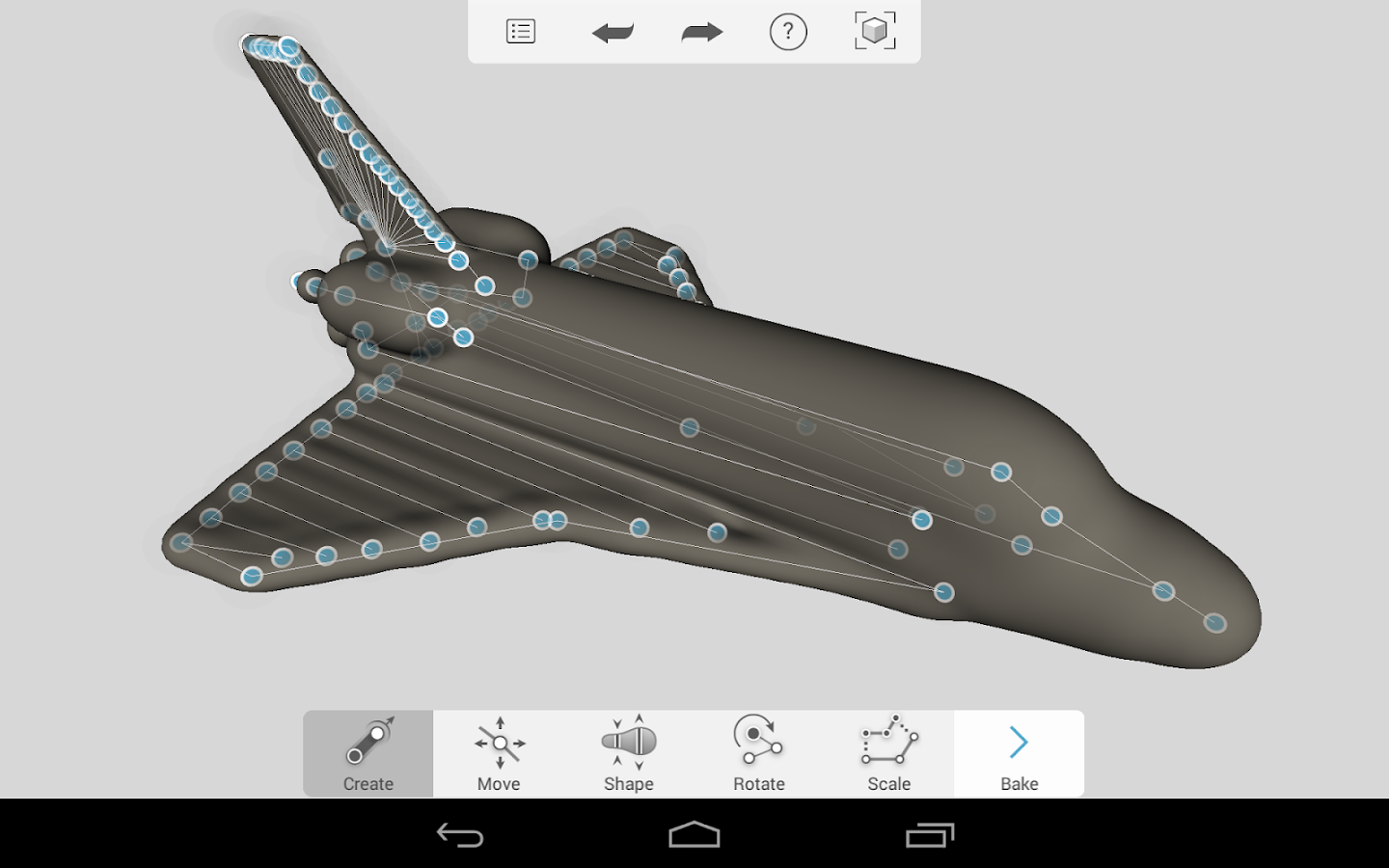
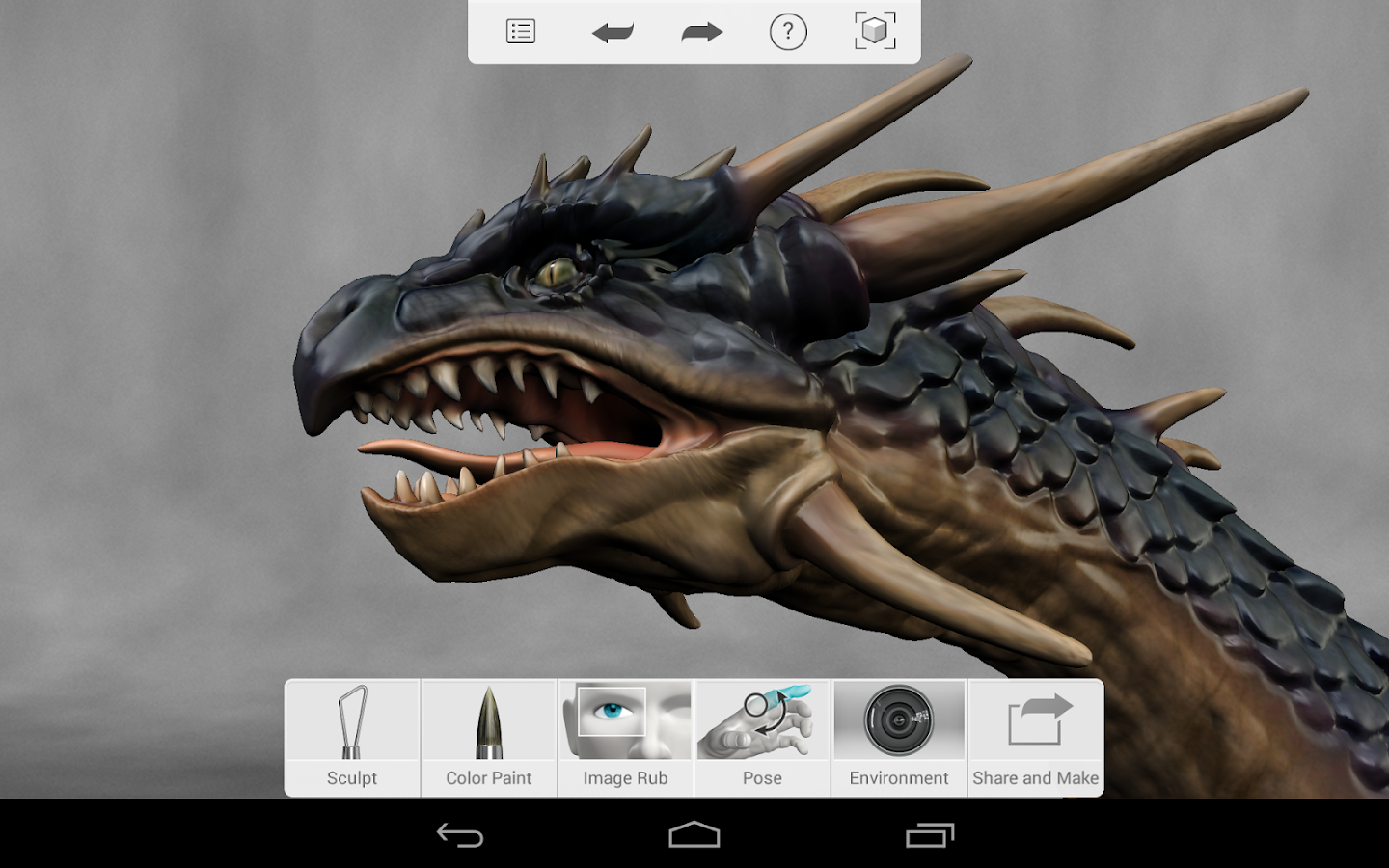
Update on 2015/7/3: The windows version of sculptplus has finally been released! See the official blog for details: http://blog.123dapp.com/2015/06/123d-captures-windows-phones-and-tablets
Update on 2017/5/16: Sad news, 123dapp was closed! See announcements here:
http://web.archive.org/web/20170406144218/http://blog.123dapp.com/2016/12/important-news-about-the-next-chapter
http://web.archive.org/web/20161223192148/https://support.tinkercad.com/hc/en-us/articles/115000144307-Can-I-still-use-the-apps-
The new successor by Autodesk is web based app https://www.tinkercad.com/, but it seems that it has no sculpting functionality.
The 123D Sculpt (with limited functions) can still be downloaded at:
https://www.microsoft.com/en-us/store/p/123d-sculpt/9nblggh39h05 (Windows)
https://apkpure.com/123d-sculpt/com.autodesk.Sculpt (Android)
Wednesday, January 14, 2015
KOReader - Turn Your Android Phone and Tablet into a Kindle-like E-reader
KOReader is an open source document viewer, originally created for Kindle e-ink readers. It currently runs on Kindle 5 (Touch), Kindle Paperwhite, Kobo and Android (2.3+) devices.
The most important feature of this app as a pdf reader that many other apps (including Adobe's own PDF Reader for Android) don't have, is text reflow for scanned documents and scientific documents with lots of mathematical formulas, thanks to its built-in K2pdfopt support. What's more, since it is originally designed for Kindle e-ink reader, the app has a very similar look and feel as the Kindle e-ink user interface, which is very clean and elegant. However, first time users may not be used to this Kindle-like interface and touch. For example, at first I thought I need to scroll down from the top of the screen to open reader's setting menus, which is of course a conflict with the default gesture input for opening the Android message center. Then I realized that a single tap at the top center of the screen is the right way to open the setting (while the typical back and menu buttons of an Android phone actually do nothing with the app). But if you have some experience with the Kindle e-reader, it is very natural and easy for you to get started with the app.


This free app can be download at:
https://github.com/koreader/koreader/wiki/Download
(Including ".apk" version for Android phones and tablets, as well as the Kindle and Kobo e-ink reader version.)
Links:
http://www.mobileread.com/forums/showthread.php?t=209276
https://github.com/koreader/koreader/ (Source Code: AGPL)
The most important feature of this app as a pdf reader that many other apps (including Adobe's own PDF Reader for Android) don't have, is text reflow for scanned documents and scientific documents with lots of mathematical formulas, thanks to its built-in K2pdfopt support. What's more, since it is originally designed for Kindle e-ink reader, the app has a very similar look and feel as the Kindle e-ink user interface, which is very clean and elegant. However, first time users may not be used to this Kindle-like interface and touch. For example, at first I thought I need to scroll down from the top of the screen to open reader's setting menus, which is of course a conflict with the default gesture input for opening the Android message center. Then I realized that a single tap at the top center of the screen is the right way to open the setting (while the typical back and menu buttons of an Android phone actually do nothing with the app). But if you have some experience with the Kindle e-reader, it is very natural and easy for you to get started with the app.
This free app can be download at:
https://github.com/koreader/koreader/wiki/Download
(Including ".apk" version for Android phones and tablets, as well as the Kindle and Kobo e-ink reader version.)
Links:
http://www.mobileread.com/forums/showthread.php?t=209276
https://github.com/koreader/koreader/ (Source Code: AGPL)
Monday, November 3, 2014
Google Opinion Rewards - Answer Surveys and Get Free Google Play Credits to Buy Anything on Google Play
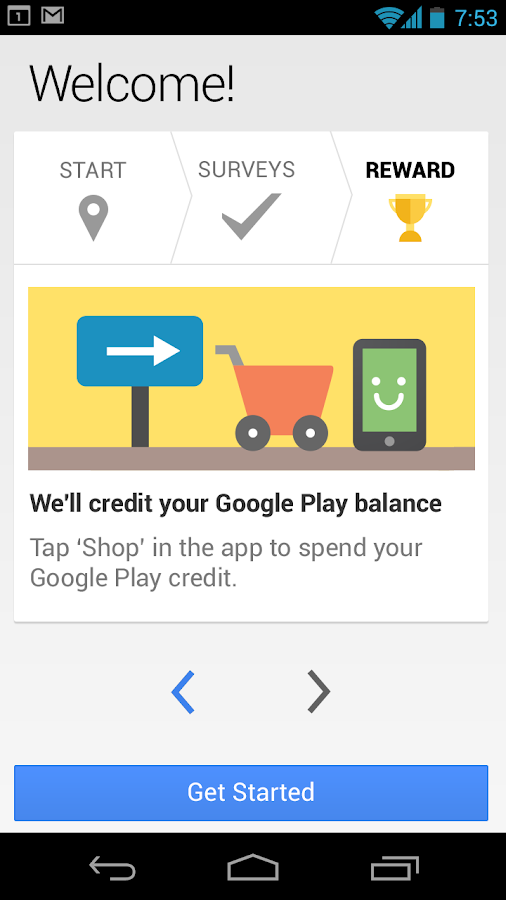
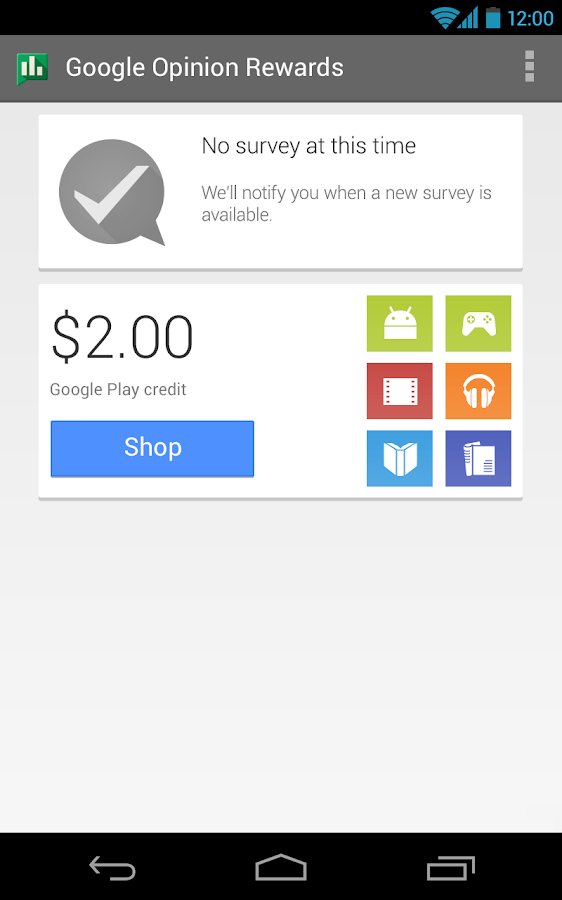
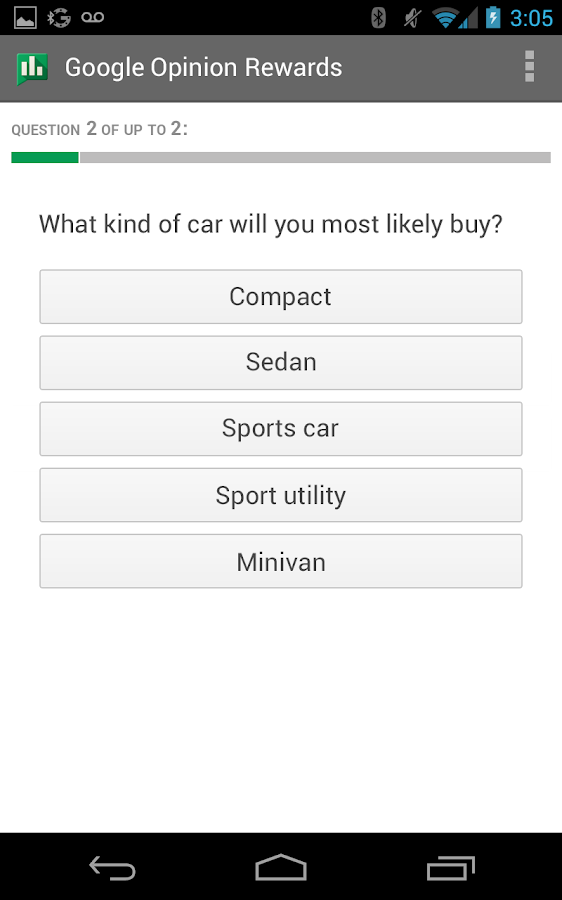
Google Opinion Rewards is an app by Google itself which can help you to get free Google Play credits by doing some quick surveys. And you can use the earned credits to buy anthing you want on Google Play Store.

Install Google Opinion Rewards here:
https://play.google.com/store/apps/details?id=com.google.android.apps.paidtasks

Install Google Opinion Rewards here:
https://play.google.com/store/apps/details?id=com.google.android.apps.paidtasks
Friday, June 27, 2014
Google Cardboard - DIY Your Virtual Reality Device with Your Smartphone
Want to own a VR device like Oculus Rift? Why not DIY your own for less than 20$? Released on this year's Google I/O, Cardboard is the low cost solution to VR DIY.
 All you need is an Android smart phone, cardboard, two lenses, one magnet, two strips of velcro and one Rubber band. And All these things can be bought on Amazon.
You can find more details, the instructions for DIY and the Android App on the official site:
https://developers.google.com/cardboard/
https://www.google.com/get/cardboard/
Google Play Apps for Cardboard VR:
https://play.google.com/store/apps/collection/promotion_3001527_cardboard_apps
https://developers.google.com/cardboard/
https://www.google.com/get/cardboard/
Google Play Apps for Cardboard VR:
https://play.google.com/store/apps/collection/promotion_3001527_cardboard_apps
Thursday, June 26, 2014
Puffin Web Browser - Browse Websites with Flash on iPad, iPhone and Android
Want to view websites with Flash and play Flash games on your iPad or iPhone? Try Puffin Web Browser! We all know IOS does not support Flash, however, Puffin Browser can run Flash on cloud so you can watch videos, play games, and tap into an endless sea of Flash
content without the Adobe Flash Player Plugin. By the way, the browser's build-in theater mode and gamepad are very handy for playing Flash games. The free version gives your free Flash support from 8am to 4pm everyday. To enable unlimited Flash support, you can consider buying the full version.

App Store: https://itunes.apple.com/us/app/puffin-web-browser-free/id472937654
Google Play: https://play.google.com/store/apps/details?id=com.cloudmosa.puffinFree
Official Site:
http://www.puffinbrowser.com/index.php
http://www.puffinbrowser.com/download/
Android Browsers with Native Flash Support:
https://play.google.com/store/apps/details?id=mobi.browser.flashfox
https://play.google.com/store/apps/details?id=com.appsverse.photon
https://play.google.com/store/apps/details?id=mobi.mgeek.TunnyBrowser

App Store: https://itunes.apple.com/us/app/puffin-web-browser-free/id472937654
Google Play: https://play.google.com/store/apps/details?id=com.cloudmosa.puffinFree
Official Site:
http://www.puffinbrowser.com/index.php
http://www.puffinbrowser.com/download/
Android Browsers with Native Flash Support:
https://play.google.com/store/apps/details?id=mobi.browser.flashfox
https://play.google.com/store/apps/details?id=com.appsverse.photon
https://play.google.com/store/apps/details?id=mobi.mgeek.TunnyBrowser
Saturday, June 21, 2014
PadFone - Smart Phone, Tablet, NoteBook, 3 in 1!
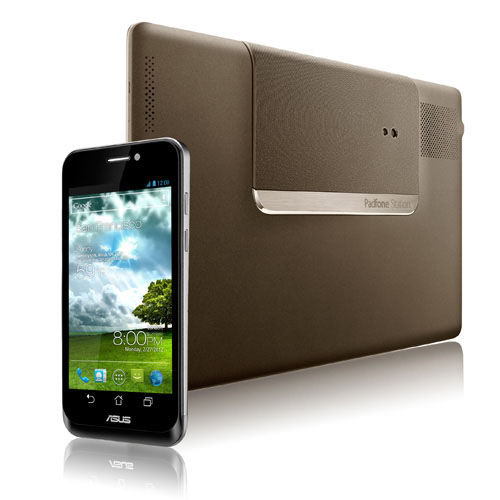
ASUS PadFone combines smart phone, tablet and notebook. It has a phone, a station and a dock. This device combines the top three electronic devices people use most, so at least can save you the trouble to transfer data among devices.

 The official site:
http://www.asus.com/Tablets_Mobile/PadFone/
Specifications:
http://www.asus.com/Tablets_Mobile/PadFone/specifications/

http://www.asus.com/Tablets_Mobile/PadFone/
Specifications:
http://www.asus.com/Tablets_Mobile/PadFone/specifications/


Thursday, April 24, 2014
Complete Linux Installer - Install Linux on Your Android Phones
With "Complete Linux Installer", you can install Linux operating systems such as Ubuntu, Debian, Backtrack, ArchLinux, openSUSE and Fedora on your Android phone or tablet. The installed Linux distribution will be almost fully functional as a standalone App of your phone - so it won't affect your phone's build-in system. With this Linux "App", you can download and use lots of Linux programmes such as FireFox, GIMP, Emacs, LyX, Octave and R with your phone.
The App is free and can be downloaded at: https://play.google.com/store/apps/details?id=com.zpwebsites.linuxonandroid
Tutorial/Notes on how to use the App: http://bruce-lab.blogspot.com/2013/09/linux-on-android-installation-notes.html
Official site of the App: http://www.linuxonandroid.org/
The App is free and can be downloaded at: https://play.google.com/store/apps/details?id=com.zpwebsites.linuxonandroid
Tutorial/Notes on how to use the App: http://bruce-lab.blogspot.com/2013/09/linux-on-android-installation-notes.html
Official site of the App: http://www.linuxonandroid.org/
Monday, March 31, 2014
Play Android Games/APPs on PC & Mac
Want to play a mobile game on Android but don't have a (compatible) device? With BlueStacks App Player, you can install and run many Android games and APPs on your computer.
This software is a full feature emulator of Android phone for Windows/Mac and you can install Android App from Google Play or directly from a .apk file.


Link: http://www.bluestacks.com/app-player.html
See also: http://techapple.net/2014/12/top-7-free-android-emulators-windows-788-110-pccomputer-run-android-appsgames-windows-78-110/
Subscribe to:
Posts (Atom)