Showing posts with label productivity. Show all posts

Wednesday, March 29, 2017

Tabula --- Free tool to extract tables in PDF as CSV or Microsoft Excel spreadsheet!

"Tabula was created by journalists for journalists and anyone else working with data locked away in PDFs. Tabula will always be free and open source."
Want to copy a table in a PDF document and save it as a CSV file or Excel spreadsheet? Just try the free and open source tool Tabula! It has a very simple and nice user interface (clicking, dragging to draw the selecting box) and works well for most PDF files containing data tables (only text-based PDFs, not scanned documents, though). Tabula is available on Mac, Windows (no installation is needed, just unzip and run) and Linux.
Official Site: http://tabula.technology/
Source Code: https://github.com/tabulapdf/tabula
Links:
https://ropensci.org/blog/blog/2017/04/18/tabulizer (tabulizer: R bindings to the tabula-java library for processing PDF tables programmatically)

Thursday, November 12, 2015

Spacedesk - Desktop Extension to Multiple Device Screen Using WiFi


Spacedesk is a free (for non-commercial use) software which can expand your Windows desktop computer screen to other devices over the local area network, such as WiFi.Your primary desktop screen need to be Windows based but the secondary screen can be any operating system that supports a modern web browser, that includes Windows PC & Laptop, Mac, iPad, iPhone, Windows phone, Android tablet and Android phone. You just install a server software on your Windows and can connect from the device you wish to use as your secondary screen by the installed Windows client software or directly from your web browser based on HTML5 without installing anything.
It is a very good free alternative to the paid software iDsiplay, and is a good complementary software to ShareMouse and TeamViewer, as both of which are used with multiple devices but neither offer extended screen function.


Official Site: http://spacedesk.net/
Links:
http://superuser.com/questions/62051/is-there-a-way-to-fake-a-dual-second-monitor
https://www.youtube.com/watch?v=uQBTn21214Q (In fact, you can also use TeamViewer to extend your screen by faking a second monitor)

Tuesday, March 17, 2015

Use One Mouse & Keyboard to Control Multiple Computers

If you have more than one computer and usually use them at the same time, it is more efficient to use the mouse & keyboard of one computer to control all the computers. Fortunately, there are several free softwares for you to do this.

ShareMouse is a freeware for personal use, which even allow you to share your mouse keyboard across Windows and Mac. And ShareMouse can do more than just share your mouse - you can also drag & drop files and share the clipboard (such as Ctrl+C/Ctrl+V content) between computers!
Official Site: http://www.keyboard-and-mouse-sharing.com

Mouse without Borders is another similar free program by Microsoft but only work with Windows. Using it you can also copy text or drag and drop files across computers.
Download: http://www.microsoft.com/en-us/download/details.aspx?id=35460

Friday, November 21, 2014

TeamViewer - Remote Desktop Made Easy

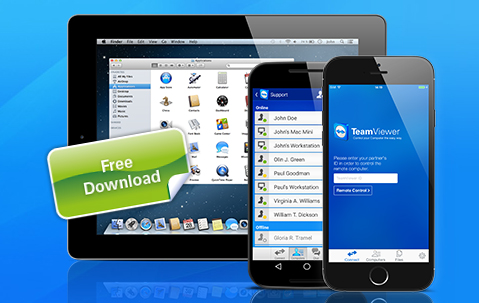
TeamViewer is a software for remotely controlling any PC or Mac over the Internet. It supports Windows, Mac, Linux and Mobile (Android, iOS, Windows Phone 8 and Windows RT, even BlackBerry!). Just install and run the software on both devices, then you can use one to remote control the other via Internet using a pre-generated ID and password. What's more, the software is free for all non-commercial users!
I once tried to use the Windows remote desktop to control my computer through my laptop, but experience is rather frustrating - all that settings, user rights, firewall... Now with this software it just simplifies everything. Another great thing is it makes file transfer between computers comfortable - you can just "ctrl+C" (or right click -> copy) at one computer and "ctrl+V" (right click -> paste) at the other computer.

Official Site:
http://www.teamviewer.com

Links:
http://en.wikipedia.org/wiki/Comparison_of_remote_desktop_software